What’s New at Cooper’s Hawk
Explore seasonal chef features and limited-time drinks, with links to the official listings and location details.
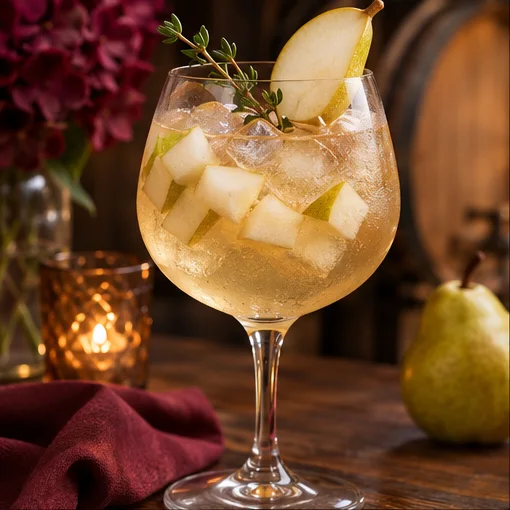
Pear Tree Sangria

Merry & Bright Cranberry Sangria
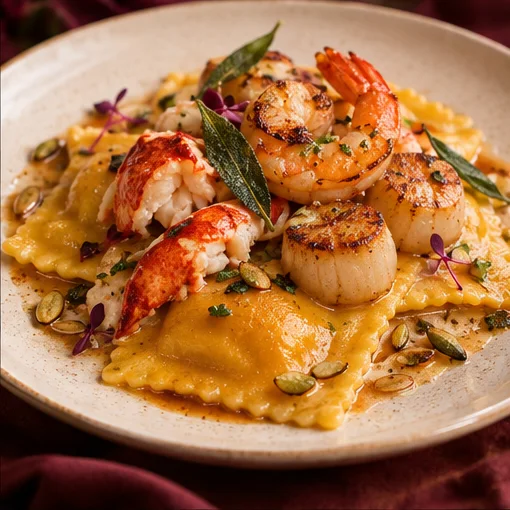
Seafood Butternut Squash Ravioli
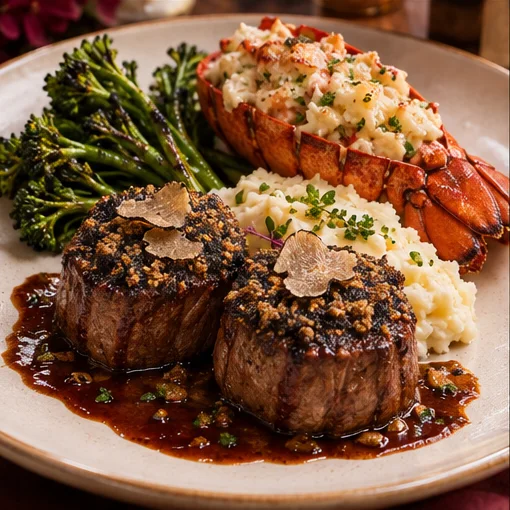
Winter Truffle Surf & Turf
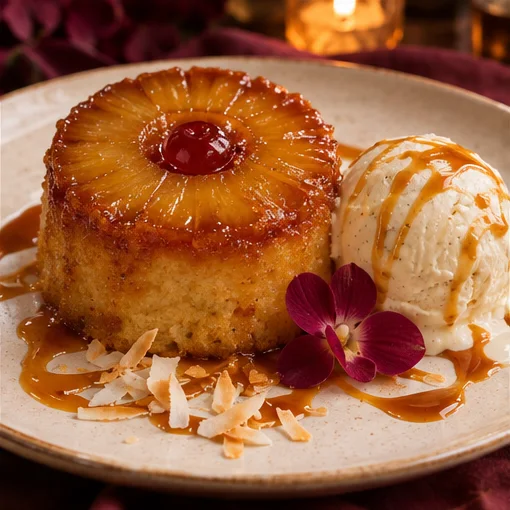
Pineapple Upside Down Mochi Cake
Use the seasonal updates to plan your visit
Read the dates before choosing an item
Seasonal features and limited-time drinks can have different availability windows. Open each guide to see how the brand describes the feature and confirm its status with the restaurant. If a source is undated or gives conflicting dates, use the local confirmation before planning around the item.
Compare seasonal drinks and regular choices
For drink releases, compare ingredients, the offer period, and any published price with the regular Wine O’Clock selection. Use the tasting-room menu to compare bottle options if you prefer to buy wine to take home.
Choose lunch, dinner, or dessert
Verify the meal period listed for a chef feature. Compare a seasonal entrée with a regular menu alternative and check sides before estimating the order. For a dessert feature, ask whether the preparation and suggested pairing are available at your restaurant.
Know where to check next
Use the official feature link in each article for context, then open the location’s menu or call for current availability. Browse the Blogs hub for ordering comparisons, or return to the homepage guide to compare menus, catering, and tasting options.
Know when to check the official listing
A previous release can remain useful for comparing ingredients or prices, even after its advertised dates end. If you want to order the item now, check the local menu and ask about substitutions. Compare the listed dish with a regular option so you have another choice if the feature is unavailable.
Read the date and serving details together
A feature can have a published launch date, an announced end date, or only an undated listing. Read those details before assuming it is available at your restaurant. If a promotion spans more than one menu, check whether the item is offered during lunch, dinner, or happy hour.
Use seasonal guides to compare dishes
A seasonal feature post is most useful when you compare its preparation and listed price with a regular menu option. If one person wants the feature and others prefer regular entrées, check both menus at the same restaurant. Add the pairing separately to see what the order costs.
Treat wine features and food features differently
A featured wine might be available as a pour, tasting sample, or take-home bottle depending on the location and offer. A featured entrée can have a separate meal period or pickup limitation. Confirm the format you want before comparing one listing with another.
Keep a regular alternative in mind
If you plan a visit around a seasonal item, use the brand link in the article for details and verify availability locally. Pick a regular dish or drink as a backup. When an offer has ended, browse Blogs or the full menu for options you can compare without relying on the previous promotion.
Explore related guides
Decide whether an update is relevant to your visit
Start with the dates and the meal period in the item guide. A limited happy-hour drink may only be offered for a specific window, while a chef feature can be listed without a public end date. Use the status and the official source together. If the date is unclear, ask the selected restaurant before making a special trip for one item.
Compare seasonal prices with the regular menu
Look up the closest regular option, then compare the main ingredients, sides, and listed price. A seasonal entrée with a different preparation is not the same price comparison as a change to the regular entrée. If a dish suggests a pairing, price it separately. If you only want to try the new flavor, consider a shareable item or dessert rather than changing the whole order.
Understand when an older article can still help
Older posts are useful for understanding past offers, ingredients, and how a feature was presented. Treat the dates in each article as part of the context. To see what you can order now, check the official restaurant information. A seasonal feature can return, but past prices or availability do not establish what the restaurant offers today.
Build a plan with a backup
If you want a seasonal main, pick a regular dish you would also enjoy if it is unavailable. For a table that wants both food and drinks, confirm the time and the availability of each feature independently. Use the regular menu to estimate the order and keep any limited offer separate until you have confirmed it with your location.
Choose the next guide for your question
Read the item article for a specific release, the menu category for a broader selection, or the Blogs hub for a practical comparison. A food update can lead to the chef or dessert menu. A drink release can lead to Wine O’Clock or the tasting room. Compare the local listing before deciding what to order or when to arrive.
Practical questions before you order
How should I use a post after its promotion has ended?
Use it as a reference for the feature’s ingredients and the published offer period. Check the current menu to see whether the item is offered again. If it has ended, try comparing the regular menu for a similar course or drink rather than relying on the old offer price.
Where can I confirm a seasonal item or meal period?
Follow the official source in the article and check with your chosen restaurant. Confirm the exact feature, the day and time it is served, and whether it is available for dine-in or pickup. Keep a regular choice in mind if the seasonal option is no longer offered.